Screenshot mockup maker for Mac
StoreSpread is a native macOS app that turns raw app screenshots into on-brand App Store and Google Play artwork, with style packs, device frames and type set on a grid. Design once, export every size.
StoreSpread was called ShotSmith until version 1.1.1. It is the same app, and your .shotsmith project files open as before.
$24.99 one-time purchase · No subscription · macOS 15 or later
StoreSpread at a glance
- App
- StoreSpread (App Store name: Screenshot Mockup: StoreSpread), formerly ShotSmith
- Platform
- macOS 15 or later
- Price
- $24.99 one-time purchase on the Mac App Store (US price), no subscription, no in-app purchases
- Category
- Developer Tools
- App language
- English
- Developer
- Pentarab
- Mac App Store
- apps.apple.com/app/id6761801791
From the Mac App Store listing
The listing's own frames, shown at full size.
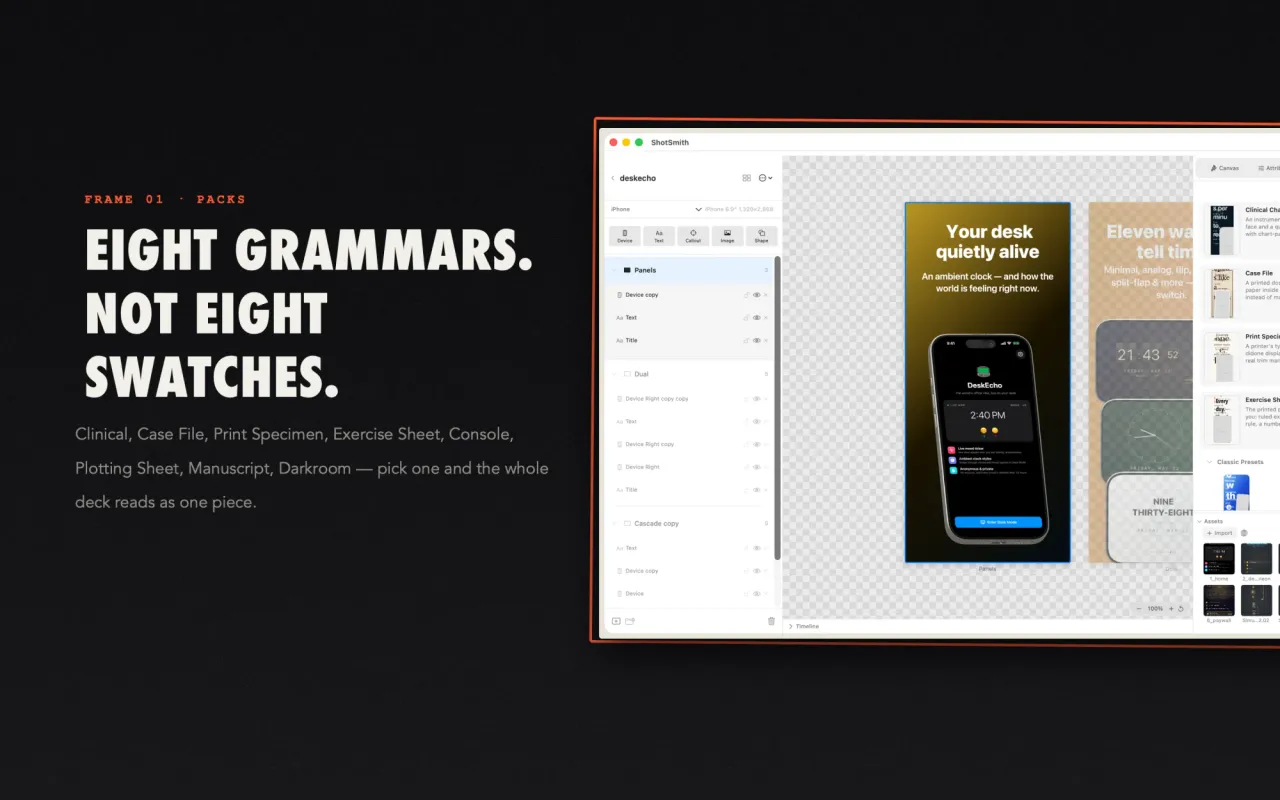
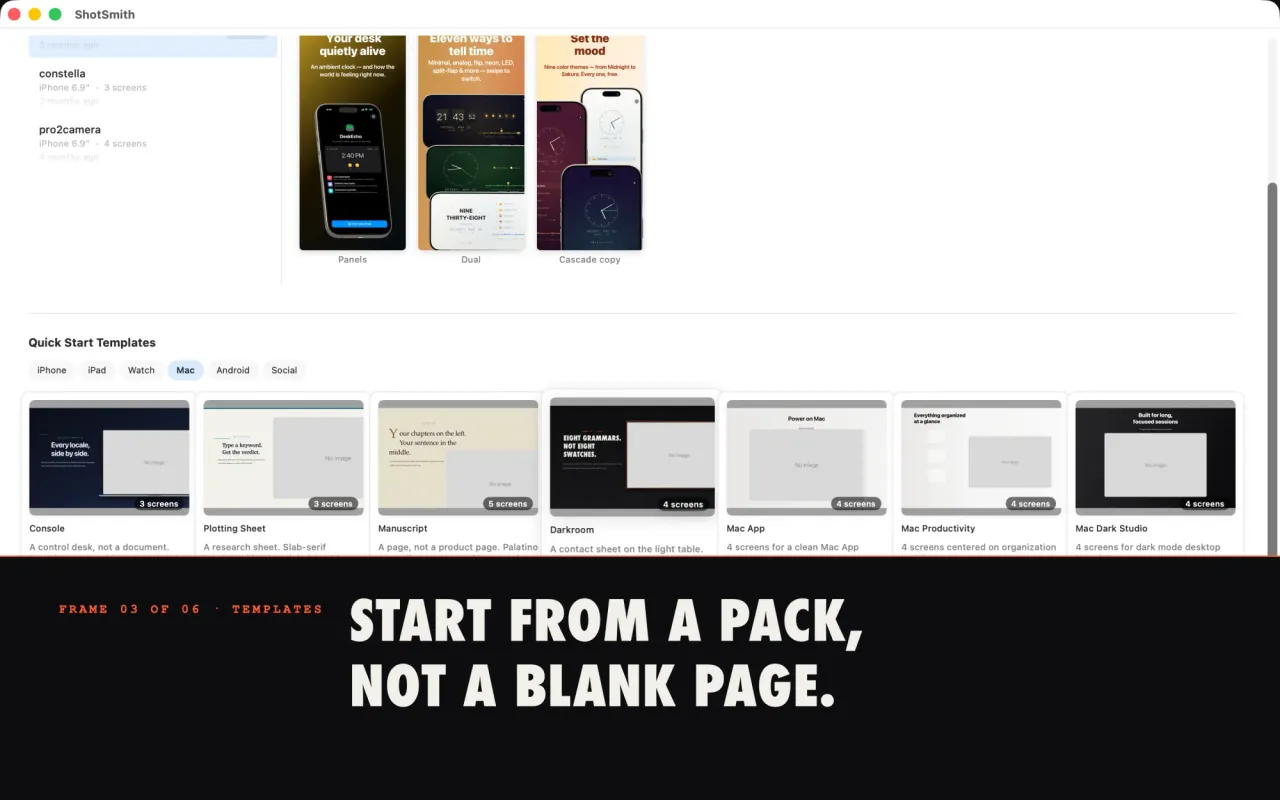
Eight packs, each a complete grammar. Pick one and the whole deck reads as one piece.
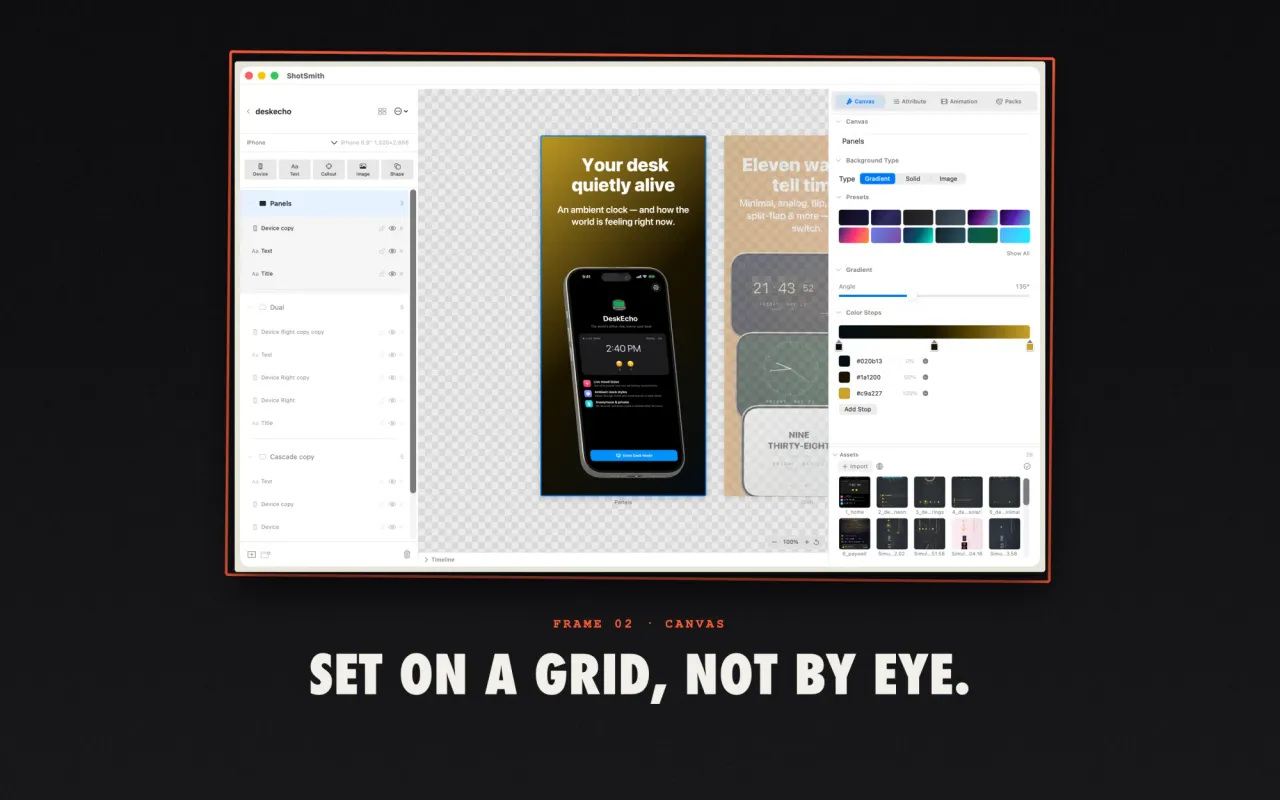
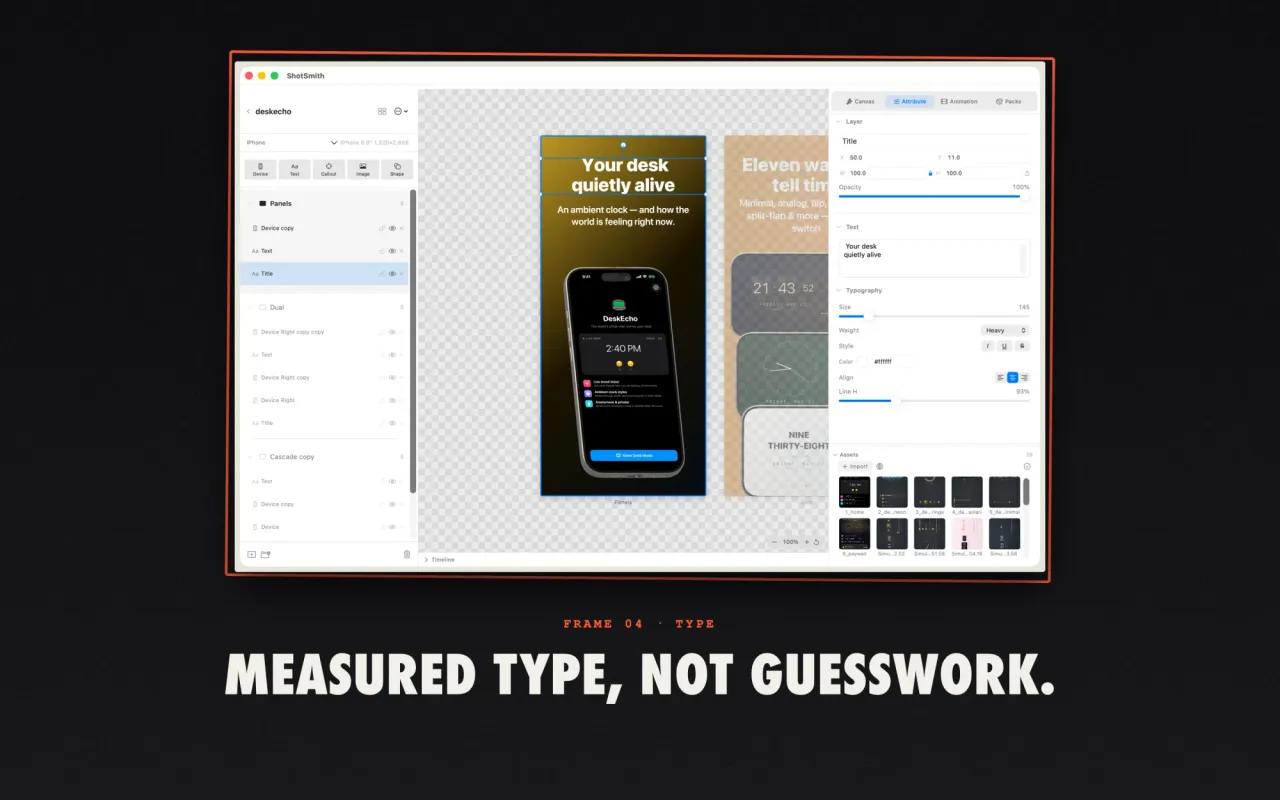
Devices, text, callouts and shapes on a real grid, set by measurement.
Start from a pack, with ready decks for iPhone, iPad, Watch, Mac, Android and social.
Size, weight, tracking, line height and alignment as numbers you set.
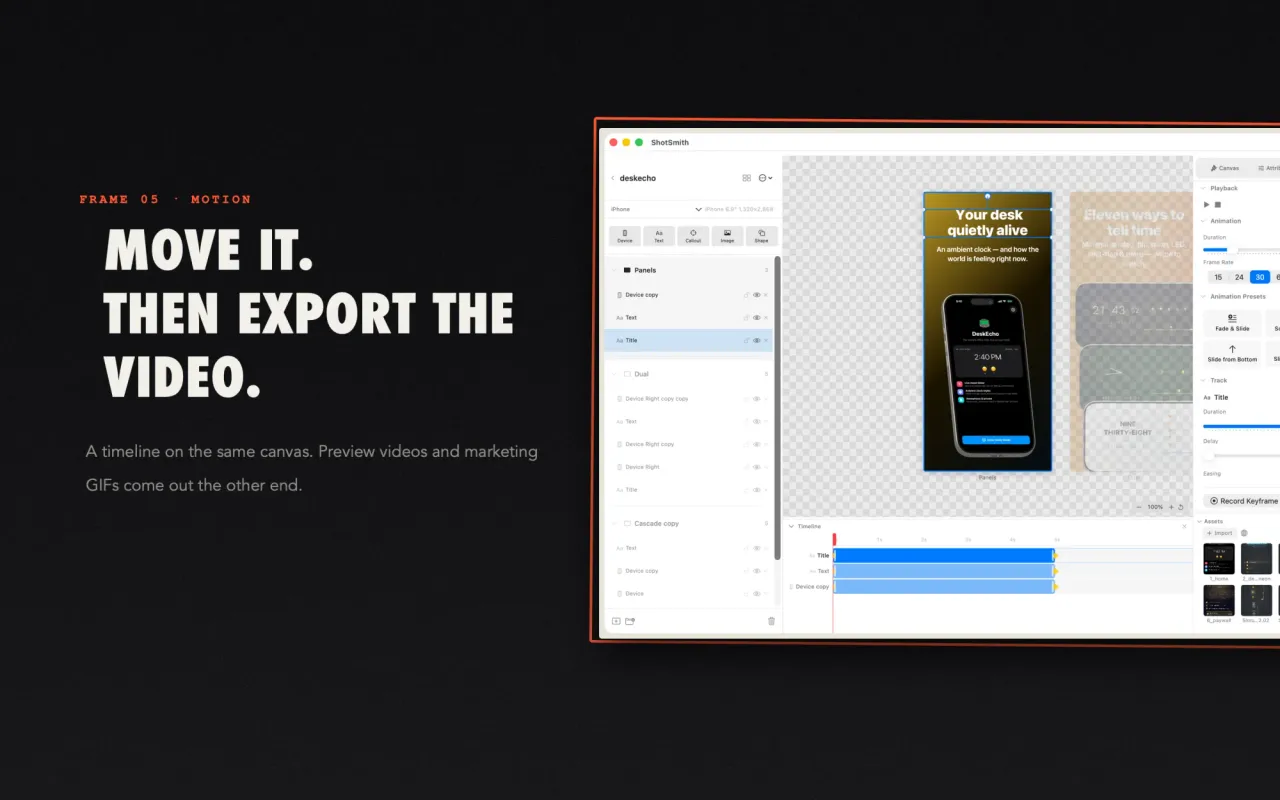
A timeline on the same canvas; preview videos come out the other end.
What is in the app
Style packs
- 8 packs and 28 layouts, each pack with its own typefaces, ground, caption grammar and device treatment
- Clinical, Case File, Print Specimen, Exercise Sheet, Console, Plotting Sheet, Manuscript, Darkroom
- Start a deck from a pack, not a blank page, and save your own layouts as a pack
Type set on a grid
- Copy is measured in the real face before it is placed, so a wrapped headline pushes the paragraph down instead of over it
- Tracking, upper and lower case, drop caps and font fallbacks
- Multi-column rows that stay on one line grid
A canvas built for app screenshots
- Device-accurate canvases with pixel alignment and smart snapping
- Real layer controls: group, lock, reuse across canvases, nudge with the keyboard
- Screenshots, device frames, headlines, callouts, shapes and gradients on one canvas
Grounds and frames
- Grain, dot and ruled grids, a starfield, trim marks and margin rules, drawn rather than pasted
- 2D and 3D device frames, a MacBook lid, a photo print, rounded glass, or no frame
- Gradient, solid and image backgrounds
Icon projects
- One master icon, every size macOS and iOS ask for
- Exports an Xcode AppIcon.appiconset
- Android launcher icons from the same source
Animated previews
- Move, fade and scale elements on a timeline
- Same canvas as your screenshots
- Export preview videos as H.264 or HEVC
Every size at once
- 23 preset sizes plus custom: iPhone 6.9", 6.7", 6.5" and 5.5"; iPad 12.9" and 11"; Apple Watch; Mac
- Android phone, tablet and Google Play feature graphic; Open Graph, Twitter, Instagram and Facebook sizes
- Single PNGs or a ZIP batch, with a folder per language
Localized captions
- Keep every language's captions and screenshots in one project
- Translate captions with Claude, OpenAI or Google Translate using your own API key
- Requests go straight to the provider you chose
Local and readable
- A .shotsmith project is a zip with a plain JSON manifest and your images
- Open it in any editor, keep it in git, hand it to a script
- Everything stays on your Mac: no account, no upload
Three steps
Pick a pack and add screenshots
Start a project from a style pack and drop in your app screenshots.
Set the copy
Write headlines per language. Type is measured in the real face, then placed on the grid.
Export every size
Export the exact pixel sizes the stores ask for in one action, as PNGs or a ZIP.
The old loop and this one
Without StoreSpread
- Open a design tool, copy, resize, re-export for each device
- Find device mockups separately
- Duplicate the file for every language
- Keep backgrounds and type consistent by hand
With StoreSpread
- One project file and one pack
- Device frames built in
- Captions for every language in one project
- A pack keeps every frame in one design language, and all sizes export at once
Who it is for
People who ship an app and need its store pages to look finished.
Indie developers
Your first app or your twelfth: no designer needed to get a consistent set.
Small teams
One project file in git, reused for every release.
Apps in many languages
Captions and screenshots for each language in one place.
Designers handing off
A readable project file and exact store sizes.
Questions
What is StoreSpread?
StoreSpread is a native macOS app that turns raw app screenshots into App Store and Google Play artwork. It has eight style packs with 28 layouts, device frames, type measured on a grid, icon projects and animated previews.
Is StoreSpread the same app as ShotSmith?
Yes. ShotSmith was renamed StoreSpread in version 1.1.1 with the same features, and .shotsmith project files open as before.
How much does it cost?
It is a one-time purchase on the Mac App Store, $24.99 in the US, with no subscription and no in-app purchases.
Which Mac do I need?
A Mac running macOS 15 or later.
Which screenshot sizes can it export?
23 presets plus custom sizes: iPhone 6.9", 6.7", 6.5" and 5.5", iPad 12.9" and 11", Apple Watch, Mac, Android phone, tablet and Google Play feature graphic, and social sizes, all in one export.
Does it send my screenshots anywhere?
No. Projects and assets stay on your Mac, with no account and no upload. Caption translation is optional: it sends the caption text to Claude, OpenAI or Google with your own API key.
Design once, export every size
StoreSpread for Mac, one-time purchase.

$24.99 one-time purchase · No subscription · macOS 15 or later